
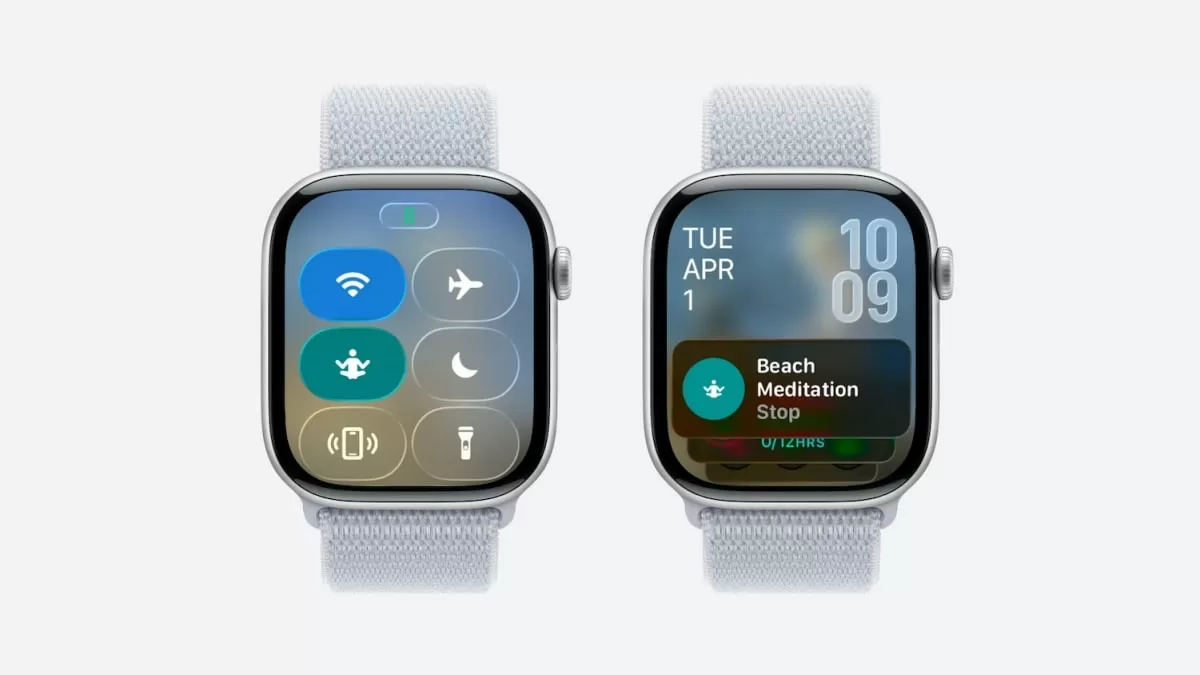
Apple’s annual Worldwide Developers Conference (WWDC) is always an exciting event for tech enthusiasts, and this year was no exception. At the conference, Apple unveiled its upcoming operating systems, including watchOS 26 for the Apple Watch. While the new Liquid glass interface was the talk of the town, there’s also another groundbreaking feature that has got everyone buzzing – Custom Controls.
Since its launch in 2015, the Apple Watch has become an essential part of many people’s daily lives. It has revolutionized the way we stay connected, track our fitness, and manage our daily tasks. However, one aspect that has always been a bit limiting is the Control Center. Until now, users have been limited to a set of predefined toggles, but with watchOS 26, that’s all about to change.
Custom Controls will allow Apple Watch users to add and modify toggles in the Control Center for the first time. This means that users will have the ability to personalize their Control Center and have quick access to the features they use most frequently. Whether it’s adjusting screen brightness, activating Do Not Disturb mode, or controlling music playback, users can now have all their essential toggles in one place.
But that’s not all – Custom Controls also bring a whole new level of convenience to the Apple Watch. Users can now add shortcuts to their most-used apps in the Control Center. This means that with just a swipe and a tap, users can access their favorite apps without having to scroll through the app grid. It’s like having a mini App Library on your wrist!
In addition to adding and modifying toggles, Custom Controls also allow users to rearrange the order of the toggles in the Control Center. This means that users can prioritize the features they use most and have them at the top for easy access. The days of scrolling through the Control Center to find a specific toggle are over – with Custom Controls, everything you need is just a tap away.
But what makes Custom Controls even more exciting is that it’s not limited to just the Control Center. Users can also customize their watch face by adding complications for their favorite apps. Complications are small widgets on the watch face that display information from a specific app. So, whether it’s your fitness tracking app, weather app, or social media app, you can have all the information you need right on your watch face.
So how does Custom Controls work? It’s simple. Users can access the Custom Controls menu by pressing and holding on the Control Center. From there, they can add, remove, or rearrange toggles and add complications to their watch face. The customization options are endless, giving users the freedom to make their Apple Watch truly their own.
With Custom Controls, Apple has once again demonstrated its commitment to providing users with a seamless and personalized experience. The feature brings a new level of convenience and efficiency to the Apple Watch, making it an even more indispensable device.
While the new Liquid glass interface has received a lot of attention, Custom Controls is undoubtedly the most significant new feature of watchOS 26. It’s a game-changer that will make the Apple Watch even more essential in users’ daily lives. So, get ready to say goodbye to the days of limited toggles and hello to a whole new level of customization and convenience on your Apple Watch.
In conclusion, watchOS 26 is set to be an exciting update for Apple Watch users, and Custom Controls is the cherry on top. The ability to add and modify toggles, rearrange the Control Center, and customize the watch face will make the Apple Watch an even more valuable and essential device. As we eagerly wait for its release, let’s applaud Apple for once again setting the bar high and providing its users with an exceptional experience.
